The Jelly eSIM app
Your travel data, in your pocket
Buy an eSIM, install it in one tap with your phone's own eSIM setup, and keep an eye on your data while you travel. Your eSIMs and install details open even when you're offline.
 iPhone app coming soon
Prefer the website? Everything still works at jellyesim.com with nothing to install.
Scan with your phone's camera to get the app.
Why travel with the app
Same account, same eSIMs, same prices. The app keeps them one tap away on the trip.
- Install in one tap
- Your phone's own eSIM setup opens with everything filled in. Or scan the QR code, or enter the details by hand.
- Works offline
- Your eSIMs and install details open in the app even before you've got a connection.
- Data left at a glance
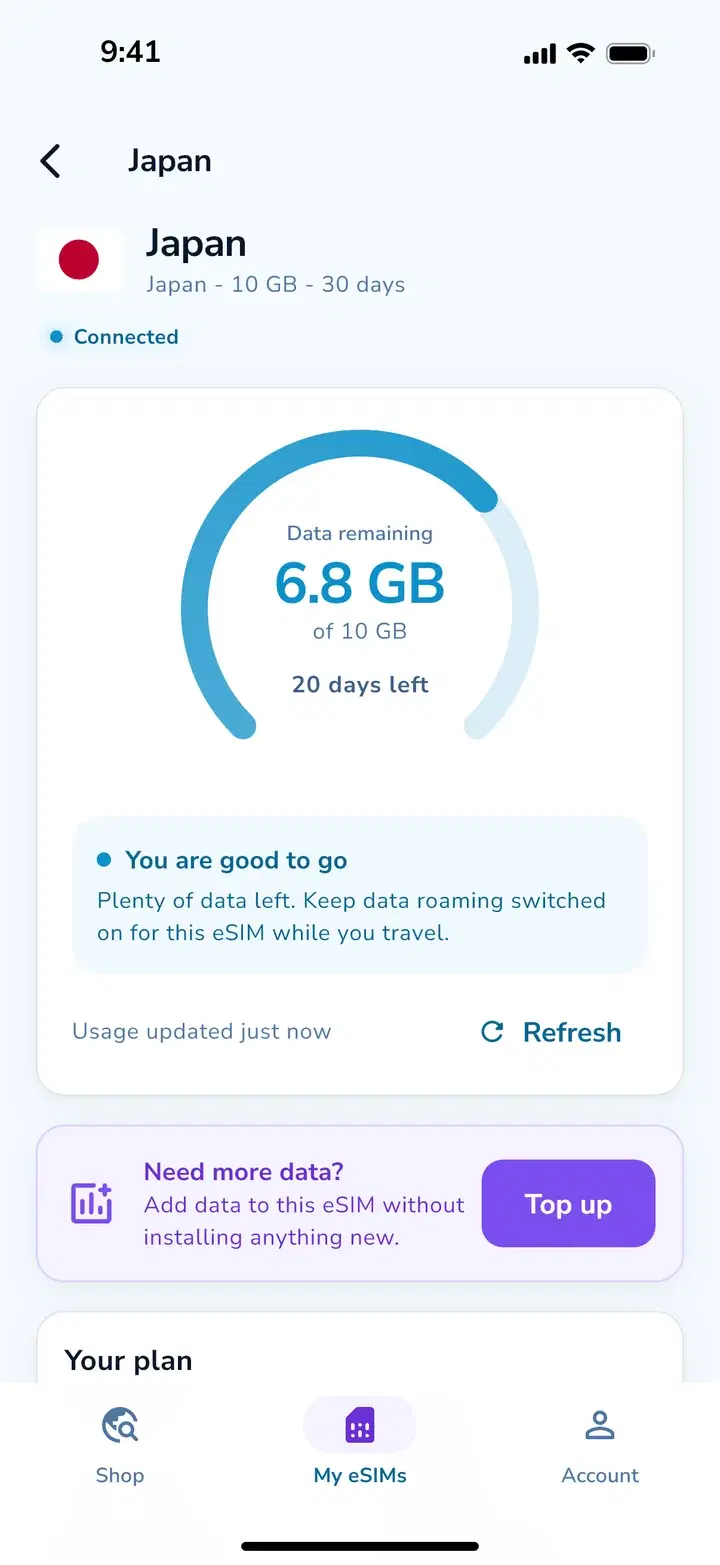
- See how much data is left and when your plan ends, and we'll let you know before you run low.
- Top up mid-trip
- Add data in seconds, with nothing new to install.
- A widget for your trip
- Your data left and when your plan ends, right on your home screen.
- Every trip in one place
- Active, ready to install and past eSIMs, all in one list.
A look inside
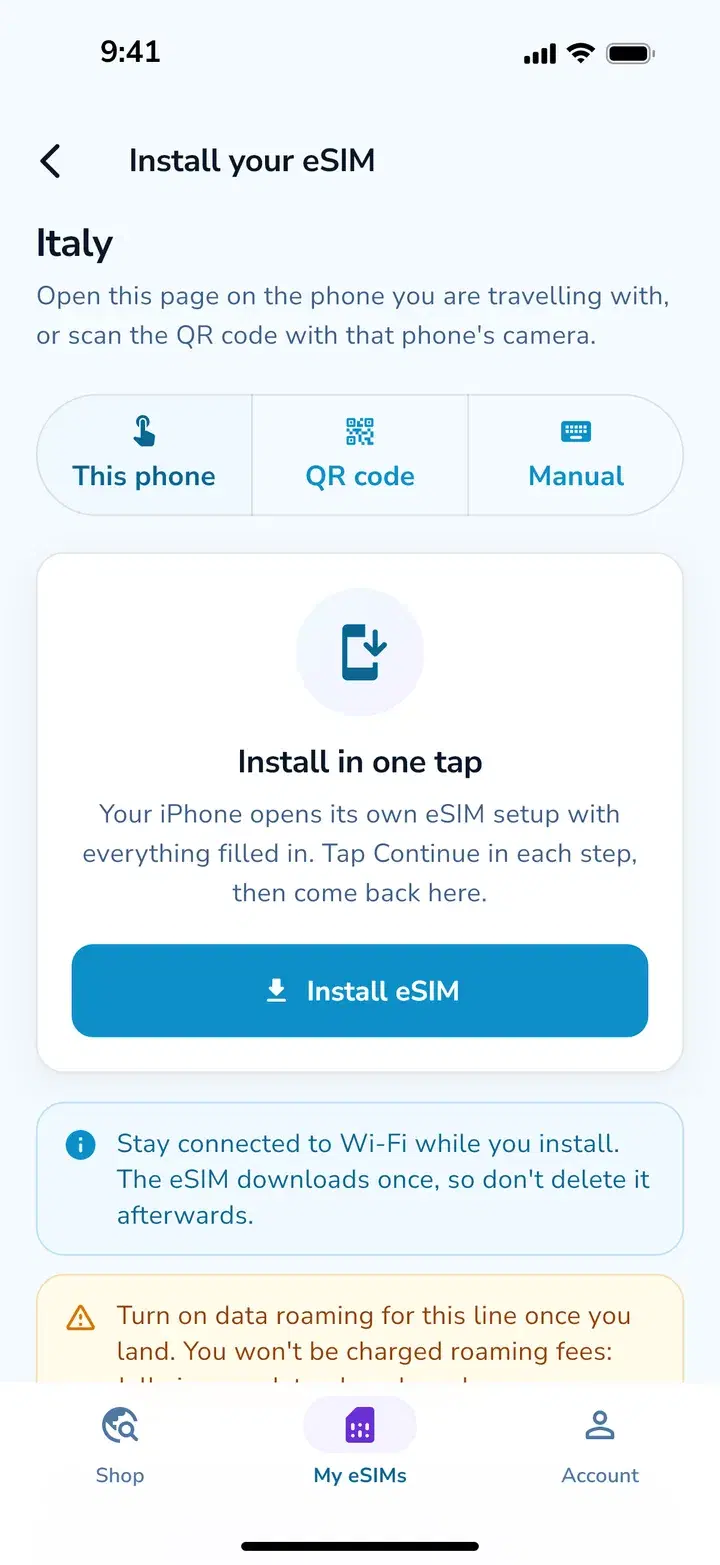
Install in one tap
Data left at a glance
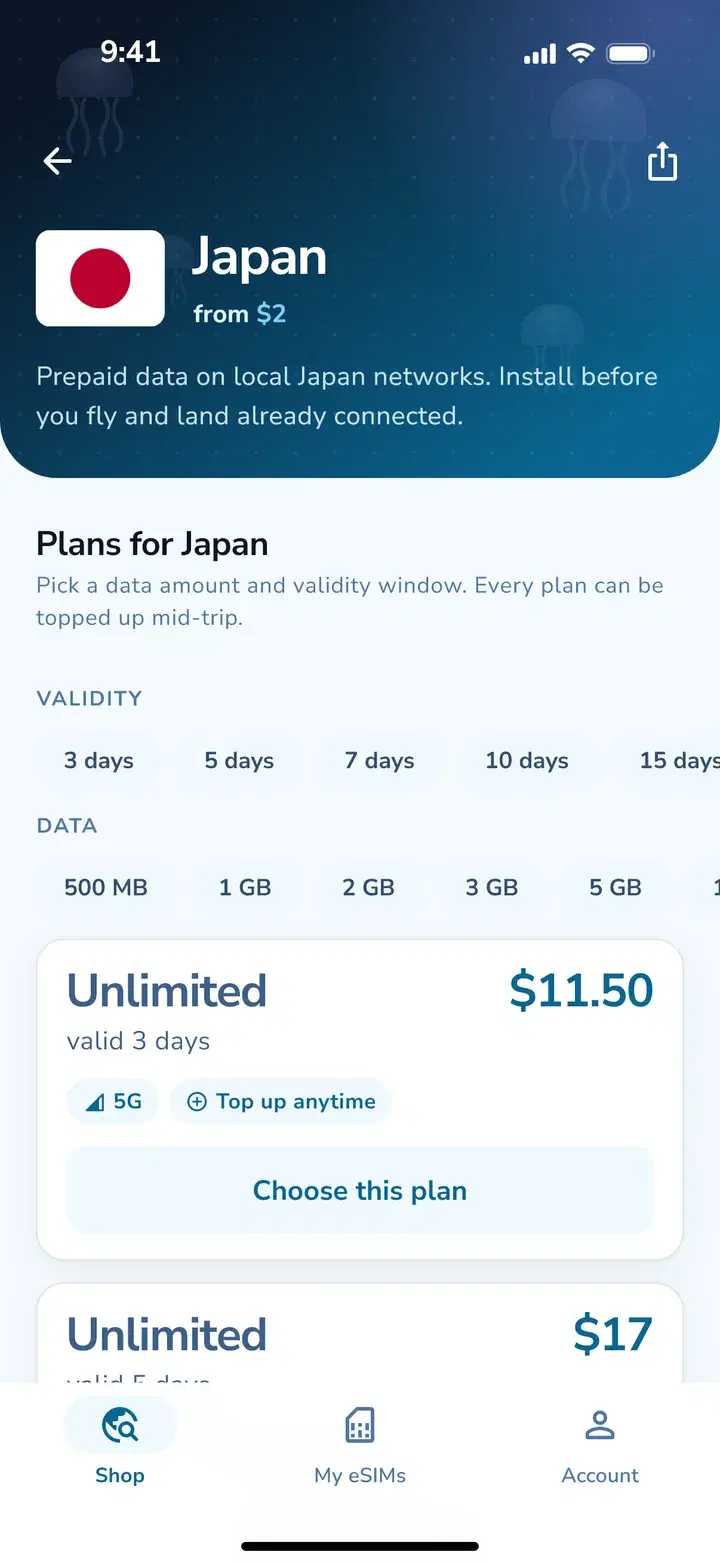
Plans for every trip
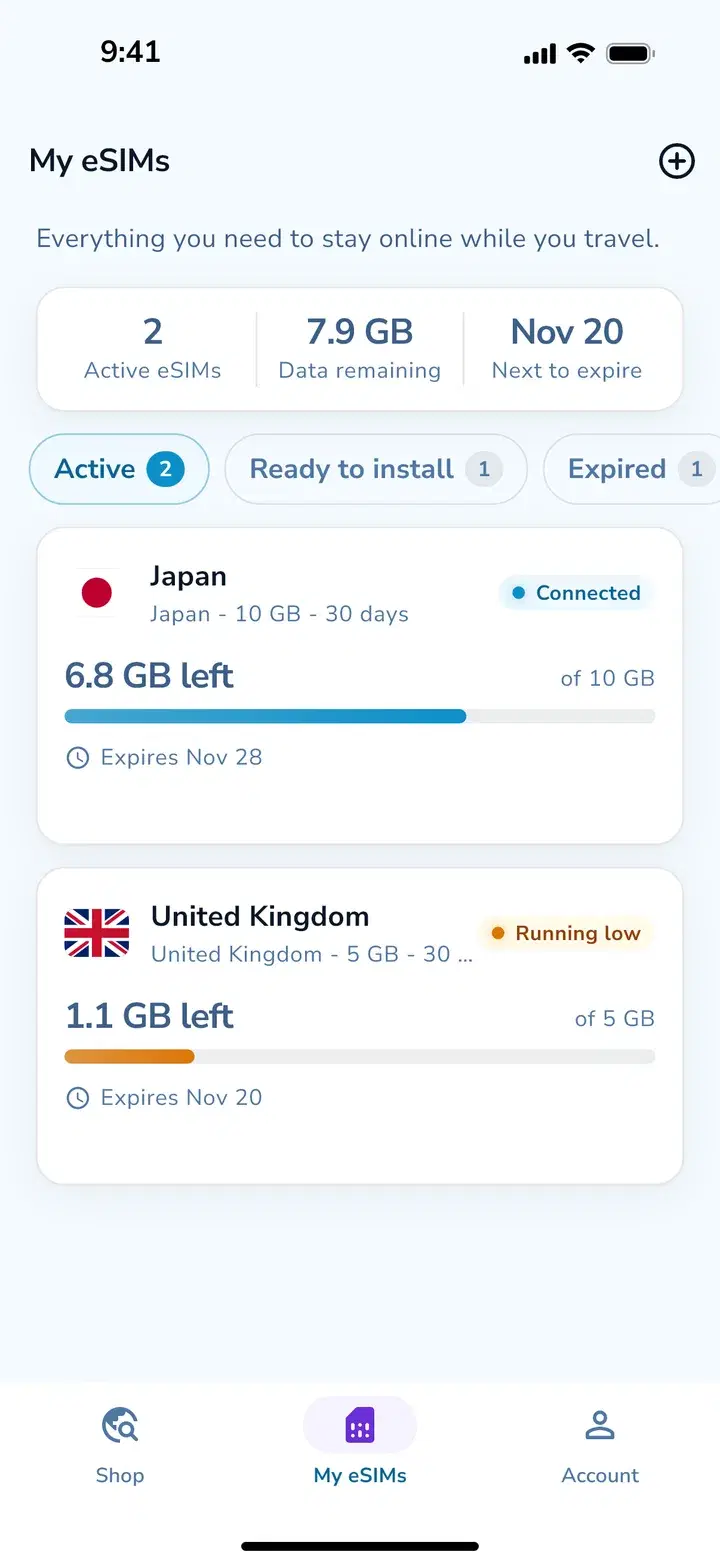
All your trips in one place
Questions about the app
Do I need the app to use a Jelly eSIM?
No. You can buy and install eSIMs on jellyesim.com from any browser. The app is there if you want your eSIMs, data left and top-ups one tap away on the trip.
Will my eSIMs from the website show up in the app?
Yes. Sign in with the same account and every eSIM you've bought, active or not, is there.
Does the app cost anything?
No, the app is free. You only pay for the plans you buy, at the same prices as on the website.
Can I install an eSIM from the app on the phone I'm using?
Yes. Tap Install and your phone's own eSIM setup opens with the details filled in. To put the eSIM on a different phone, show its QR code and scan it with that phone.
Land connected
Get the app, or pick your eSIM right here on the website.